Style breakdown · penguinz0
How to make a Moist Critikal thumbnail
penguinz0, the channel of Moist Critikal, has 18.3 million subscribers, and the videos behind its top thumbnails drew 17 to 29 million views each. We analysed its 10 most-viewed thumbnails to show what they share and how to build the same format for your own videos.
- 18.3M subscribers
- 10 most-viewed videos analyzed
- 17M to 29M views each
Pick a reference thumbnail
Click “Generate in this style” and the thumbnail opens in the generator as a reference. Add your photo and your video idea: 4thumb rebuilds the format — composition, presentation, colors and lighting — not the original’s face or text.
 Generate in this style
I Was In Hunger Games And Ruined A Scene
29M viewsYouTube
 Generate in this style
Most Evil Livestream Ever
26M viewsYouTube
 Generate in this style
Craziest Police Chase Ever
22M viewsYouTube
 Generate in this style
EDP445 Situation
22M viewsYouTube
4thumb is not affiliated with penguinz0 or their team. Thumbnails are shown to analyze the style and link to the original videos on YouTube. YouTube data as of October 19, 2026
What penguinz0 thumbnails have in common
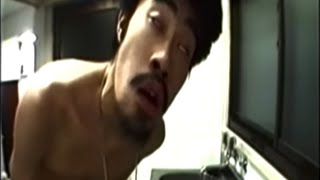
Almost every top thumbnail is an unedited screen grab: a paused frame of the person, event or post being discussed, with no added text or graphics. The strangeness of the frame plus a short, blunt title do all the selling.
| Technique | How penguinz0 does it | How to repeat it |
|---|---|---|
| No added text | No overlay headlines on any of the 10; the title alone frames the story. | Leave the frame clean and write a blunt title like 'Most Evil Livestream Ever'. |
| Unflattering paused frame | Subjects frozen mid-speech or mid-gesture, mouth half open or an odd look. | Scrub the footage for the most awkward in-between frame, not a posed one. |
| Authentic source look | Compression grain, letterbox bars, night helicopter footage and TV badges kept as is. | Do not grade, sharpen or saturate; keep black bars and the original light. |
| Context left visible | Phone app UI, like counts, timestamps and product badges stay in frame. | Keep interface elements that show it is a TikTok, a comment or a TV ad. |
| Plain webcam host shot | Centered mid-shot at the desk, neutral deadpan look, no big reaction. | Use a frame from your real setup: seated, centered, calm and unimpressed. |
| Crowd and event scale | Wide shots full of people or police cars suggest a big, chaotic event. | Pick a frame where many people or vehicles surround one focal action. |
The four thumbnail formats on the channel
Across the 10 thumbnails, four formats repeat. Each one is chosen so the viewer has a question before clicking: what happens next, what did this person say, or why is this comment a problem. For more starting points, see our YouTube thumbnail ideas.
- Raw scene still (4 of 10). A wide, unaltered frame from the source: a movie crowd scene, an aerial night police chase, a slap-fight event with a crowd, an infomercial set.
- Subject caught mid-moment (3 of 10). A close or medium frame of the person the video is about, mid-word or mid-gesture, often awkward; sometimes a vertical phone screenshot with app UI left in.
- Webcam desk frame (2 of 10). The host seated centered in a mid-shot, deadpan, in a gray room with framed posters, collectibles and a cat tree behind, plain webcam light.
- Comment screenshot (1 of 10). A flat dark-mode comment thread with readable usernames, likes and the key argumentative reply as the whole image.
Face and emotion: deadpan, not shocked
The host appears in only 2 of 10 thumbnails, always as a centered webcam mid-shot with a neutral or mid-sentence expression. Most thumbnails feature the video's subject instead, frozen mid-word with an awkward open-mouth or squinting look. Faces are never cut out or enhanced. If you want your own desk shot in this format, start from a thumbnail from a photo of your real setup.
- Keep your own expression calm and unimpressed; the joke is the contrast with the chaos in the title.
- Let the subject's awkward frame carry the emotion instead of your reaction.
- Do not cut out, outline or brighten faces; they stay inside the original frame.
- Leave the room behind you visible; the cluttered desk background is part of the look.
Text and the penguinz0 thumbnail font
There is no penguinz0 thumbnail font to copy, because the channel adds no text at all. Any words in the image come from the source itself: comment text and like counts, a phone video's username and stats, a product badge on an infomercial, sponsor banners on an event backdrop.
- Skip overlays entirely; zero added words is the format.
- Put the hook in a blunt 2 to 6 word title, such as 'Huge Loser'.
- Keep text that already exists in the source if it explains where the content came from.
- If you must add a word for your own channel, keep it to one or two and make it small.
Light and color straight from the source
Color is whatever the footage has: flat warm-gray webcam light, washed-out daylight on asphalt, night aerials lit by red and blue emergency lights, amber stage light, a white infomercial set or a near-black comment section. This runs against most advice in our YouTube thumbnail design guide, and that contrast is deliberate.
- No saturation boost, outlines or glow.
- Low resolution and letterbox black bars are often left in.
- Dark-mode screenshots stay dark; do not invert or brighten them.
- Native light signals real footage, which is the promise of the click.
How the intros pay off the thumbnail
The videos jump straight into what the frame shows, with no channel greeting. The title's premise is stated in the first sentence and then undercut with a deadpan joke.
- Open on the exact scene from the thumbnail, for example 'okay let's watch that police chase'.
- State the premise of the title in the first sentence.
- Follow it with a dry joke so the tone matches the deadpan host shot.
- For opinion videos, open with blunt framing that echoes the title, like 'a huge loser'.
How to make this thumbnail in 4thumb
- Pick a reference thumbnail from this style and press Generate in this style.
- Add your photos in the Face block, ideally a seated frame from your real recording setup.
- Describe the video idea: what happens, who is in it, and what the odd moment is.
- Leave the Thumbnail text field empty or use 1 to 2 words at most.
- Generate 2 to 4 variants, use the Exact copy / Unique design switch to compare closeness to the format, and judge them at small size.
Common mistakes when copying this style
- Adding headlines and arrows. Big bold text, arrows or red circles break the raw, unedited feel that defines the style.
- Choosing a flattering frame. A clean or posed frame loses the awkward mid-moment that makes people click.
- Over-grading the footage. Sharpening or boosting color makes it stop looking like a genuine screen grab.
- Shocked host face. An exaggerated reaction in every thumbnail replaces the calm deadpan that the format relies on.
- Vague or long titles. Without overlay text, the title must carry the whole hook in a few blunt words.
- A frame with no question. If nothing in the image is strange or unresolved, there is no reason to click.
Questions
How does Moist Critikal make his YouTube thumbnails?
On penguinz0, most top thumbnails are unedited screen grabs of the subject, event or comment being discussed, with no added text. The host appears only occasionally, as a plain deadpan webcam shot at his desk.
Can I use a penguinz0 thumbnail as a template or reference?
Yes, as a format reference. 4thumb takes the composition, framing, light and labels from it, but the creator's face, text and logos are not copied. Your own face and video idea are used instead.
What is the penguinz0 thumbnail font and how much text should I add?
There is no font because the channel adds no text. Keep the image clean, or use 1 to 2 words at most, and put the hook in a short, blunt title.
Do I need my face in the thumbnail?
No. Only 2 of the 10 analysed thumbnails show the host. Most show the video's subject in an awkward paused frame. If you appear, use a calm seated desk shot.
What size should the thumbnail be?
YouTube thumbnails are 1280×720 pixels in a 16:9 ratio. 4thumb generates thumbnails in this format.
How much does the 4thumb thumbnail maker cost?
Each generation uses credits. New accounts get free credits to try it before paying.
More creators
All creators



More guides
- Thumbnail ideas
Thumbnail ideas for tutorials, reviews, vlogs, challenges, comparisons, lists, stories and news — what to show, what text to use and what to avoid.
- Thumbnail from a photo
Turn your own photo into a YouTube thumbnail: how identity profiles work, which photos give the best likeness, consent rules and tips for expression and lighting.
- Thumbnail size guide
YouTube thumbnail size and dimensions: 1280×720 px, 16:9 aspect ratio, min 640 px wide, under 2 MB, JPG, PNG or GIF — plus the safe zones phones crop.
- Thumbnail design guide
Design principles for YouTube thumbnails: one focal point, contrast, color, typography, faces, consistency and testing — practical rules you can apply today.
Make a thumbnail in the penguinz0 format
Pick a reference, add your photo and generate raw, deadpan variants for your next video.