Category · Gaming
How to Make a Gaming Thumbnail for YouTube
We analysed 20 of the most-viewed thumbnails from 2 large channels, Linus Tech Tips and MrLololoshka, to see what actually carries a Gaming or tech-for-gamers video. Below are the patterns, formats, text and colour rules they share, plus how to apply them to your own video in a few minutes.
- 2 creators
- 20 templates
Pick a thumbnail from this niche
Click “Generate in this style” and the thumbnail opens in the generator as a reference. Add your photo and your video idea: 4thumb rebuilds the format — composition, presentation, colors and lighting — not the original’s face or text.
 Generate in this style
Building a PC... using only Wish.com
![Thumbnail of “😨 Minecraft SPEEDRUNNER vs 3 HUNTERS • [+ FLIGHT]” by MrLololoshka](https://i.ytimg.com/vi/TtdlfECyj-Q/mqdefault.jpg) Generate in this style
Generate in this style😨 Minecraft SPEEDRUNNER vs 3 HUNTERS • [+ FLIGHT]
 Generate in this style
Faster Internet for FREE in 30 seconds - No... Seriously
![Thumbnail of “😱 Майнкрафт, Но ВЕСЬ МИР Одна Большая БУТЫЛКА [Полное Прохождение] + Фиксплей” by MrLololoshka](https://i.ytimg.com/vi/BsE4aoZJrP4/mqdefault.jpg) Generate in this style
Generate in this style😱 Майнкрафт, Но ВЕСЬ МИР Одна Большая БУТЫЛКА [Полное Прохождение] + Фиксплей
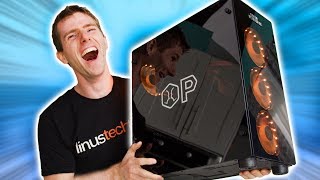 Generate in this style
Are Walmart Gaming PCs actually THAT bad?
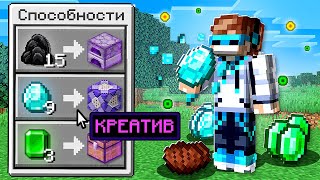 Generate in this style
😱 Minecraft, but EATING ITEMS Gives You SUPERPOWERS + FlackJK
What works in Gaming thumbnails
Two approaches dominate the analysed thumbnails. One is the staged game scene: an avatar in a bright render with a clear conflict and a visible twist. The other is the hero object plus reaction: one huge product and a person with a readable emotion. Both make the idea obvious before anyone reads the title.
| Technique | Why it works in this niche | How to do it |
|---|---|---|
| 1 vs 3 imbalance | Challenge videos live on the odds; a lone hero against a crowd sells the stakes without words | Put your avatar alone on one side and a tight, armed trio on the other |
| Visible twist mechanic | Viewers have seen the basic challenge; the modifier is what makes this episode new | Show the one rule change as an object or effect (semi-transparent hero, glowing sword, lucky block) and add a short '+twist' word |
| Colour-coded sides | Instantly tells who is the hero and who is the enemy | White or green label over the hero, red over the rivals, both in pixel font inside dark translucent boxes |
| Native game UI as frame | Hotbars, hearts and menus signal the game in a split second | Enlarge the HUD elements and place them along the bottom or side as a frame |
| Hero object at huge scale | A single oversized item reads even at phone size | Hold the product or key item toward the lens so it fills up to half the frame, with a thick white, yellow or coloured glow outline |
| Readable reaction on one third | Emotion tells the viewer whether the thing is good, bad or absurd | Frame the person chest-up on the left or right third: side-eye, facepalm cringe, open-mouth laugh or proud grin |
Main Gaming thumbnail formats
Most top-performing Gaming thumbnails in the sample fall into a handful of repeatable formats. Pick the one that matches your video type instead of inventing a layout every time.
- Versus diorama split — one hero avatar against three armed rivals in a dirt-and-stone cutaway, with a game hotbar and hearts at the bottom. MrLololoshka's strongest modern format (4 of his 10 analysed top thumbnails).
- Concept render with twist — a single surreal idea, such as a whole world inside a glass bottle, or a big game-menu panel explaining the rule change. Used by MrLololoshka (2 of 10).
- Reaction split with hero product — the person chest-up on one side, cringing or grinning, next to an oversized gadget on a saturated background. Linus Tech Tips' signature format.
- Raw gameplay frame with episode number — an unedited screenshot, sometimes with a large '#N' in the corner. Found in MrLololoshka's older series covers.
- Off-format exceptions — a hand-drawn piece on white or a real-life photo with three huge stacked words. MrLololoshka uses each once in the sample.
Creators analysed and what to borrow
Linus Tech Tips
Linus Tech Tips builds bright, clean thumbnails around one hero gadget and the main person reacting to it. Borrow the scale (the PC case, CPU box or router takes up to half the frame), the glow outline that separates the cutout from the background, and the flat saturated backdrops in cyan with speed lines, magenta or neon green. Text is optional: 1–3 huge bold words at the bottom or left, never over the face or product. Ideal for hardware, setup and peripheral videos.
MrLololoshka
MrLololoshka uses glossy Minecraft renders where the main person appears as a full-body blocky avatar, not a face close-up. Emotion comes from pose: striding confidently, hiding with a grin, holding a prized item. Borrow the speedrunner-vs-hunters diorama, the colour-coded pixel labels and the one visible twist per episode. This is the template to study for any Minecraft challenge or series.
How to show the game, the avatar and the gear
In Gaming the main subject is either the game world with your character in it, or the physical item you are testing. Either way it must be large, crisp and instantly recognisable.
- Avatar at medium-wide scale — full body visible so the pose tells the story; soft drop shadows under characters keep them grounded.
- Staged, not screenshotted — the modern format uses crisp 3D renders; raw gameplay frames appear only in older covers.
- Diorama depth — a thin grass layer on top and a recessed floor make figures read as miniatures in a display case.
- Rivals carry emotion with props — raised weapons, wide eyes or floating question marks.
- One hero item with a glow — key items get a slight glow; real products get a thick outline and crisp studio detail.
- Simple background for concept ideas — a plain sky with blocky clouds lets a surreal object stand out.
How much text a Minecraft thumbnail needs
Very little. Both channels keep text to 1–3 words, and Linus Tech Tips often uses none. The thumbnail labels roles or the twist; the title does the explaining.
- 1–3 words per label, never the full video title.
- Game-native type — blocky pixel font in dark semi-transparent boxes for Minecraft-style scenes.
- Colour = role — white or green for the hero, red for enemies, neon green, magenta or yellow for the twist word.
- Placement — labels directly above each group; for reaction layouts, at the bottom or left, away from the face and product.
- Episode numbers — a large outlined '#N' works for long series, as in older MrLololoshka covers.
- Check legibility at small size with the thumbnail size guide.
Light and colour
Bright, even, high-key light is the norm. Dark or muted covers appear only in older uploads. For more on contrast and layout, see our YouTube thumbnail design guide.
- Sunny daylight for game renders: saturated grass green, sky blue, diamond cyan, earthy brown and grey stone.
- Red as the accent for enemy labels and danger.
- Neon green or magenta for the twist highlight.
- Flat saturated backdrops for product shots: cyan with radial speed lines, magenta, neon green or red-to-blue gradients.
- Studio-bright, even light on people and products so detail stays crisp.
- Avoid sepia or desaturated tones unless the video is genuinely horror.
How to make a Gaming thumbnail in 4thumb
- Pick a thumbnail from the creators above and press Generate in this style.
- Add your photos in the Face block (skip it if your thumbnail uses only an avatar or game scene).
- Describe the video: the game, the challenge, the sides and the one twist or product.
- Enter 0–2 words in the Thumbnail text field, for example a twist word or a single label.
- Generate 2–4 variants and compare them at small size before choosing. Need a starting idea? Try thumbnail ideas.
Typical mistakes
- No visible twist. A generic fight looks like every other episode; show the modifier as an object or effect.
- Too many characters. Crowding the scene breaks the 1-vs-3 imbalance that makes the challenge readable.
- Long text. Writing the title on the thumbnail instead of 1–3 colour-coded labels.
- Text over the subject. Labels covering the face or the hero product hide the two things that sell the click.
- Dark, muddy light. Desaturated scenes lose to bright, sunny, saturated renders in the modern format.
- Random fonts. Mixing typefaces instead of one game-interface font with dark label boxes.
Questions
How do I make a gaming or Minecraft thumbnail?
Choose one format, such as a versus diorama, a concept render or a reaction with a hero product. Make the subject large, add 1 to 3 words at most, use bright saturated colour, and test it at small size. In 4thumb you pick a reference, add your photos if needed, describe the video and generate several variants.
What makes a good Gaming thumbnail?
A clear idea readable in a second: a visible conflict or twist, one dominant subject, colour-coded labels and bright, even light. Native game interface elements like hotbars and hearts help signal the game instantly.
How much text should a Gaming thumbnail have?
Usually 1 to 3 words, or none. Use short labels for sides or the twist, never the full title, and keep them away from the face and main object.
Do I need my face on a Gaming thumbnail?
No. MrLololoshka's top thumbnails show a full-body game avatar instead of a real face. A face helps when you are reacting to something, as in Linus Tech Tips' product thumbnails.
What size should a Gaming thumbnail be?
1280×720 pixels in a 16:9 ratio. 4thumb generates thumbnails in this format.
How much does it cost?
Each generation uses credits. New accounts get free credits to try it.
Creators in this category
All categories- Thumbnails like Linus Tech Tips
16.9M subscribers
- Thumbnails like MrLololoshka
11.4M subscribers
More guides
- Thumbnail ideas
Thumbnail ideas for tutorials, reviews, vlogs, challenges, comparisons, lists, stories and news — what to show, what text to use and what to avoid.
- Thumbnail from a photo
Turn your own photo into a YouTube thumbnail: how identity profiles work, which photos give the best likeness, consent rules and tips for expression and lighting.
- Thumbnail size guide
YouTube thumbnail size and dimensions: 1280×720 px, 16:9 aspect ratio, min 640 px wide, under 2 MB, JPG, PNG or GIF — plus the safe zones phones crop.
- Thumbnail design guide
Design principles for YouTube thumbnails: one focal point, contrast, color, typography, faces, consistency and testing — practical rules you can apply today.
Make your Gaming thumbnail
Pick a format from the creators above and generate a few variants for your next video.